
Routine Admin work adds up.
Onboarding, offboarding, license changes, group updates, Gmail settings, Drive transfers, and reporting can pull experienced administrators into repetitive work across multiple Admin pages.
Administration automation for K–12
Automator gives K–12 Google technology teams one place to complete everyday Admin work in bulk, on a schedule, and with a repeatable process.
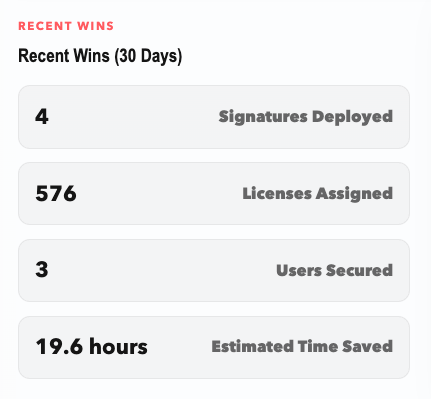
Onboarding, offboarding, license changes, group updates, Gmail settings, Drive transfers, and reporting can pull experienced administrators into repetitive work across multiple Admin pages.
Automator brings frequent administrative actions into one focused workflow so teams can complete bulk work, schedule future actions, and reduce avoidable manual effort.
Core capabilities
Start with the operating outcome, then use the specific capabilities your environment needs.
Work across users, groups, licenses, devices, and services without repeating the same steps account by account.
Prepare time-sensitive work in advance and run actions when they fit the school calendar.
Create accounts, place users in organizational units, assign licenses, and add group memberships.
Suspend accounts, remove licenses, transfer files, and schedule important access changes.
Set delegates, forwarding, and consistent signatures for people, departments, schools, or the organization.
Assign and remove Google licenses with a clearer view of availability and allocation.
How it works
Everyday use cases
Value by role
Complete common actions with fewer repetitive steps and a more consistent process.
Give the team a focused operating layer for repeatable administrative work.
Standardize high-frequency tasks across schools, departments, and organizational units.
Security and privacy
Supported connections and data sources vary by product and use case.
Frequently asked questions
Yes. The current product supports selecting users, groups, licenses, devices, or services, including spreadsheet-based bulk changes for supported actions.
Yes. Supported tasks can be completed immediately or scheduled for a later time.
No. Those are common workflows, but the platform also supports work involving Gmail, signatures, groups, Drive, Calendar, Classroom, ChromeOS, licenses, and reporting.
Book a focused demo. Get Set Tech can map your current repetitive work to the capabilities that are available today.
Start a practical conversation
Tell us what your team is trying to improve. We’ll focus the conversation on the workflows and outcomes that matter to you.