
Google tools and support made for K–12

Make Google easier for your school to manage.

Get Set Tech helps K–12 technology teams keep Google Workspace organized, secure, and running smoothly—with practical software, licensing, and hands-on support from people who understand schools.

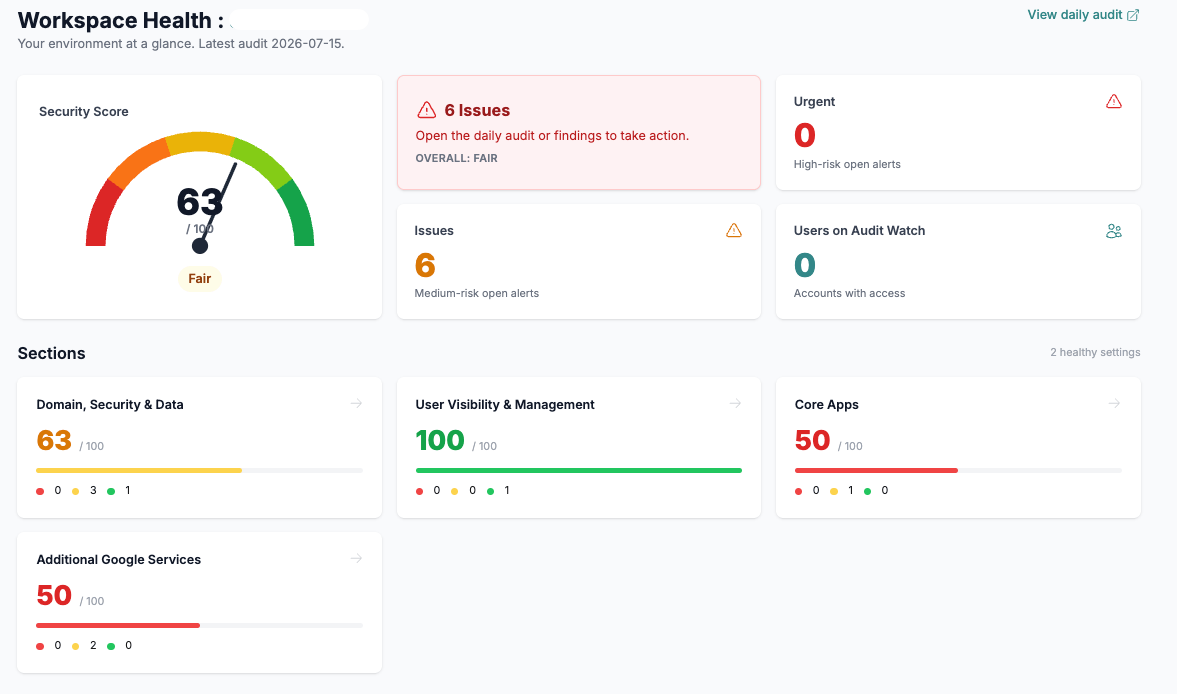
Audit Watch dashboard showing prioritized Google Workspace configuration findings
Configuration visibilityNightlyGoogle Admin monitoring
Built forK–12Technology teams
Google for Education Partner

Purpose-built softwarefor school technology operations

Google expertiseacross Workspace, ChromeOS, and Cloud

Personal supportfrom people who understand schools

Software for schools

Practical tools for the Google work schools handle every day.

Each product is built around a real K–12 need—from repetitive admin work and configuration changes to Chromebook screen-time questions.

01 / Administration automation

Automator

Stop clicking. Start automating.

A focused automation platform for K–12 Google technology teams. Complete common Admin tasks in bulk, on a schedule, and with a consistent process.

  • Bulk and scheduled actions
  • Onboarding and offboarding
  • Licenses, groups, Gmail, Drive, and more
Explore Automator
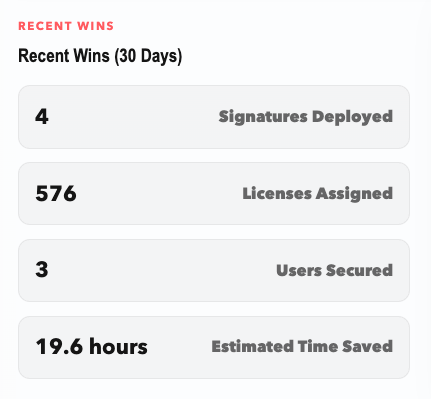
Automator dashboard showing recent signature, license, security, and time-saving activity

02 / Configuration visibility

Audit Watch

Never wonder what changed.

Nightly Google Admin monitoring helps your team see configuration changes, compare organizational units, and reduce configuration drift.

  • Nightly Admin scans
  • Change history and notifications
  • Organizational-unit visibility
Explore Audit Watch
Audit Watch workspace health dashboard with prioritized configuration findings

03 / Chromebook usage data

Chrome Clock

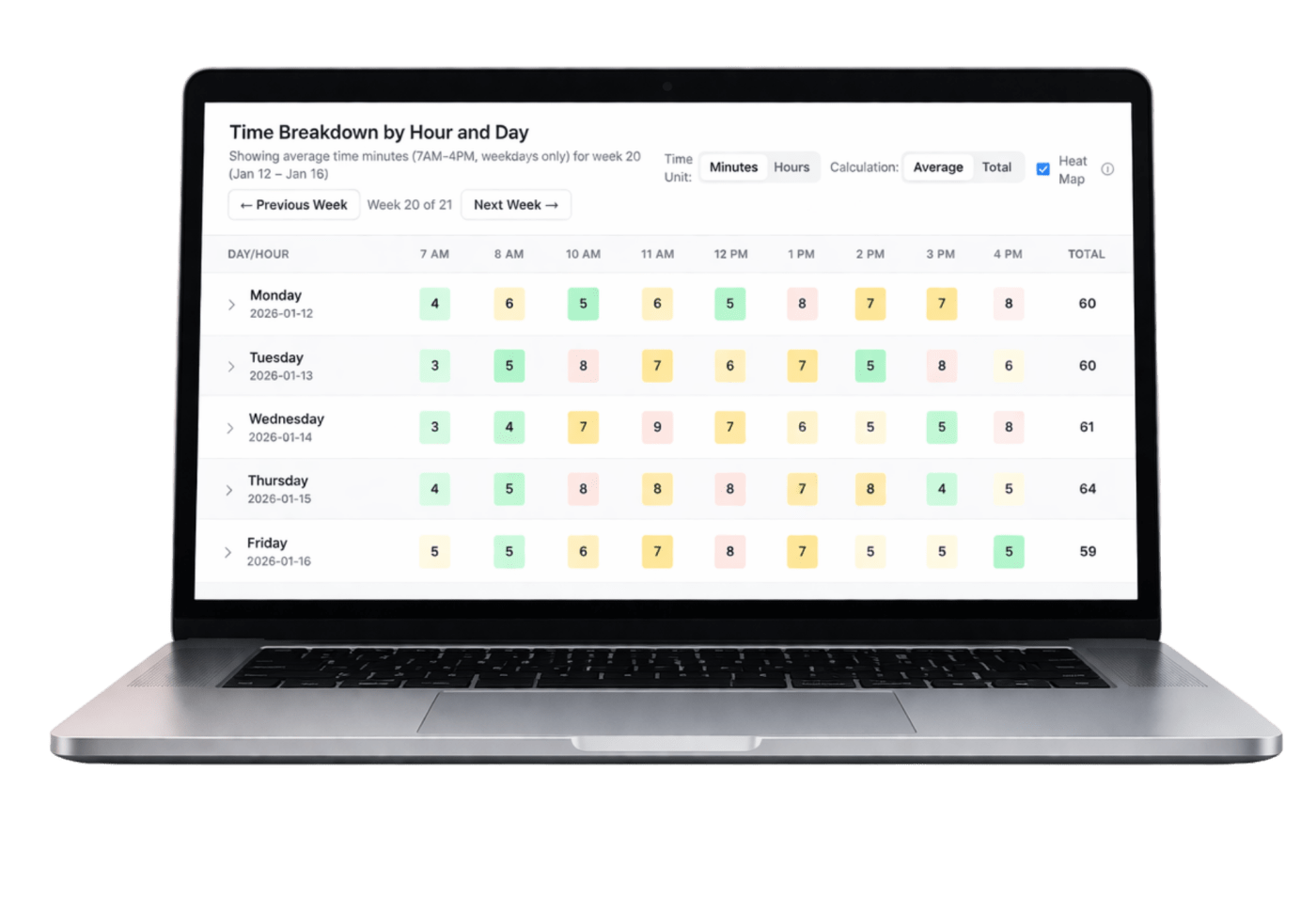
Screen-time conversations backed by data.

Clear school-level Chromebook usage trends help technology leaders answer questions with context, not assumptions.

  • Average daily screen time
  • Grade and school trends
  • Role-based access and alerts
Explore Chrome Clock
Chrome Clock dashboard showing a weekly screen-time heat map by hour and day
Get Set Tech Workspace Audit visual
Prioritized guidanceSee what matters next.

Google Workspace Audit

Know what needs attention in Google Admin.

A school’s Google setup grows and changes every year. Our education-focused audit reviews the settings behind accounts, services, security, and Chromebooks, then shows your team what to address first.

01Examine Review operations, services, security, and Chrome settings.
02Prioritize Organize findings around risk, impact, and effort.
03Improve Build a practical plan and keep strengthening the environment.
Explore the Workspace Audit

Customer results

What school technology teams say about working with us.

School technology leaders describe useful results, responsive support, and a better way to manage Google.

Workspace Audit01
Get Set Tech’s Workspace Audit gave our district a clear, actionable view of our Google Admin environment across security, operations, and service configurations. Their team was responsive, supportive, and helped us clean up the domain with practical recommendations. For any K–12 Google environment, this audit is a worthwhile investment.
Chris Bell

Chris BellExecutive Director, Technology ServicesHuntington Beach City School District

Chrome Clock02
Before Chrome Clock, conversations about student screen time were based on guesswork and anecdotes, but now we have the real data needed to confidently answer questions from our parents and board. It has turned concerns into constructive, transparent community dialogues backed by concrete usage facts.
Stephanie Griffin

Stephanie GriffinDirector of Instructional TechnologyPiedmont Unified School District

Google Workspace Support03
Any school needing support for the administrative spaghetti of Google Workspace will benefit from working with Get Set Tech. They offer a wealth of experience and best practices for implementation while being responsive, and flexible. They are hands-down an ideal partner for The Nueva School. We can't recommend them highly enough!
Eric Spross

Eric SprossDirector of TechnologyThe Nueva School

Read customer stories

Why Get Set Tech

Google expertise grounded in how schools actually work.

We solve hard Google problems without losing sight of school calendars, lean teams, classroom impact, and the people behind the work.

01

Built for education

Products and services designed around K–12 workflows, policy, staffing, and responsibility.

02

Deep Google expertise

Practical knowledge across Google Workspace, ChromeOS, licensing, migrations, and administration.

03

Software plus people

Proprietary technology backed by specialists who help your team act on what it finds.

04

Personal partnership

Responsive support from people who know your environment, not another anonymous ticket queue.

How we work with schools

Start with what your school needs most.

01

Listen

We learn about your schools, your team, your Google setup, and the problems you need to solve.

02

Put the right pieces in place

We match your needs with the right software, services, licensing, and support.

03

Stay with you

We help your team measure results, simplify more work, and keep improving over time.

Insights

Practical guidance for school Google administrators.

View all resources

Google Admin guidance · Oct 22, 2025

Strengthening Chrome Browsing Protection

Strengthening Chrome Browsing Protection Online learning depends on safe and reliable browsing. Enabling Chrome Safe Browsing helps protect students and educators from phishing sites, malware, and unsafe downloads. By keeping this feature active—and preventing users from bypassing warnings—schools create a secure digital environment where learning happens without risk. For IT directors, configuring Safe Browsing offers […]

Read the insight

Google Admin guidance · Oct 22, 2025

Managing External Storage Access in Schools

Managing External Storage Access in Schools External storage devices—like USB drives—can make file sharing fast and convenient, but in a school environment, they can also introduce serious risks. Allowing unrestricted read and write access may expose devices to malware, data leaks, or unauthorized file transfers. Configuring proper controls ensures that convenience doesn’t come at the […]

Read the insight

Google Admin guidance · Oct 22, 2025

Optimizing the Omnibox for Schools

Optimizing the Omnibox for Schools The browser’s Omnibox—where students search, type URLs, and explore the web—is a powerful learning tool. But without proper configuration, it can also open the door to unsafe or inconsistent search experiences. Locking down the Omnibox to use only Google Search ensures that students access trusted results while maintaining a secure, […]

Read the insight

Start a practical conversation

Let’s make Google easier to manage.

Tell us what your technology team is trying to improve. We’ll help you identify the right next step.

Contact us