Google settings rarely stay still.
Administrators, projects, new services, and changing school needs can alter a complex Google environment over time. Important configuration changes may go unnoticed until they create confusion or risk.
Continuous Google Admin visibility
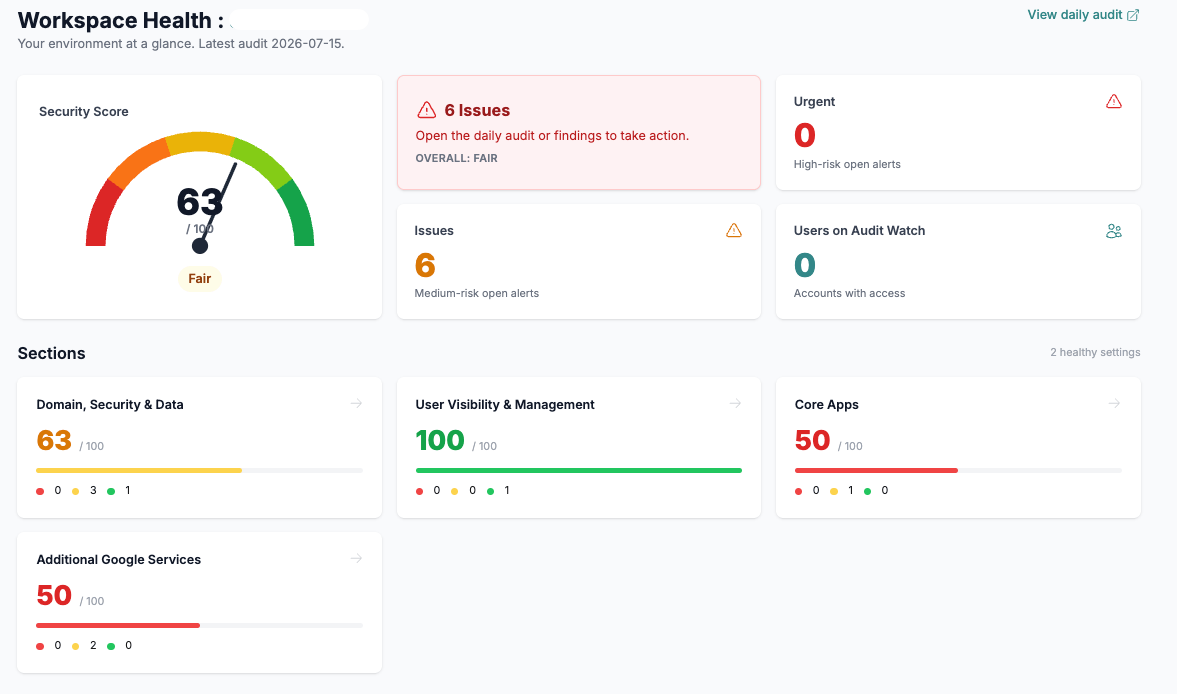
Audit Watch synchronizes with your Google Admin console every night so your team can see configuration changes, compare settings, and reduce drift over time.
Administrators, projects, new services, and changing school needs can alter a complex Google environment over time. Important configuration changes may go unnoticed until they create confusion or risk.
Audit Watch gives technology teams a current view of important settings, what changed, where it changed, and when to investigate.
Core capabilities
Start with the operating outcome, then use the specific capabilities your environment needs.
Review important Google Admin settings on a recurring nightly schedule.
Compare current settings with the established baseline and surface meaningful changes.
See how configuration differs across organizational units in complex environments.
Review what changed and when instead of relying on memory or manual notes.
Receive email notifications when important monitored settings change.
Organize findings by area and severity so teams know where to focus attention.
How it works
Everyday use cases
Value by role
See changes across the environment without manually checking every setting.
Maintain greater visibility into the configuration decisions that shape operations and risk.
Use change history and prioritized findings to guide focused review.
Security and privacy
Supported connections and data sources vary by product and use case.
Frequently asked questions
The current product synchronizes nightly with monitored Google Admin settings.
No. A Workspace Audit provides a focused assessment and recommendations. Audit Watch helps maintain visibility after that baseline is established.
No. It provides configuration visibility, change history, and prioritized findings to support your team’s review and decisions.
Yes. Organizational-unit visibility is a core part of the current product positioning.
Start a practical conversation
Tell us what your team is trying to improve. We’ll focus the conversation on the workflows and outcomes that matter to you.